Class Badges for 1-1 Goal Setting

Class Badges is a free online tool designed to help teachers use digital badges as rewards for accomplishing learning goals. The badges can be a useful tool for teachers to keep track of individual student accomplishments as they help learners focus on making progress.
Teachers can request a free account to generate a class code for students. Just add your students and choose from the many available badges. If you are in need of a unique badge of your own you can work with the folks at Class Badges to have them create it for you.
Digital Tools for Differentiating Vocabulary: K12Online
If you're looking for innovative ways to use free and user friendly digital tools to help students acquire vocabulary, please check out my session, Digital Tools for Differentiating Vocabulary Instruction at the K12OnlineConference. While you're there you are sure to discover more terrific 20 minute sessions, available for viewing at your convenience.

-------
Teaching vocabulary today? Get ideas to "Kick it Up a Notch" at #k12online12 conference. http://bit.ly/Shhp1i #DigLN #elearning #innovate
Thinglink in the Classroom

Wikispaces Features: An Interactive Graphic
A wiki is a website that allows members to easily edit and contribute content. Wikispaces is a teacher and student friendly tool that supports multimedia for collaborative learning.
- A wiki provides teachers with a platform to design learning experiences that provide students with flexible learning paths to meet unique learning styles
- Wiki's can support student-driven project based learning experiences to help students develop super skills for the 21st century: creativity, collaboration, communication and critical thinking.
- Wikis are a simple yet efficient online tool for the 24/7 classroom

Update: Wikispaces to Support the Common Core on GettingSmart.com

Google Docs: New Fonts & Templates

Google Search Education

Google recently announced the launch of Search Education. With it comes the promise of bringing educators the tools they need to help students become savvy searchers and independent learners. The site for educators includes lesson plans that are tied to A Google a Day, a daily puzzle designed to develop complex search skills. The lessons are aligned with NETS and Common Core Standards, connected to content area subjects and differentiated on 3 levels. In addition to lesson plans, Google offers live trainings and archived videos of past trainings to provided educators with the background knowledge
Cool Tools to Curate Content

Educators can use content curation tools to streamline instruction by providing students with easy online access to a variety of resources to meet the needs of diverse learners.
Digital Notes: Combine Readability & Google Docs
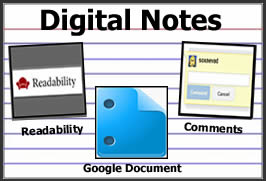 One of my favorite tools to share with students and teachers is Readability. This handy bookmarklet tool scrubs webpages clean of distractions by eliminating the ads and creating a more readable version of digital text. By itself, it's a really useful tool for students, but when combined with Google Docs, it can be part of an effective and efficient method for taking digital notes.
SlideRocket Sample: Cool Tools for Vocabulary

As someone who creates and shares presentations frequently, I'm excited to add SlideRocket to my tech toolkit of cloud-based presentation tools. It's slick, collaborative and available for free with a Gmail or Google Apps for Educators account. A refreshing change from Google Presentation, SlideRocket is feature-rich and fast. Here are a few of my favorite features:
Promoting Visual Literacy

Mentor Mob Playlist Sample: Maximize Instructional Time

I understand the idea behind Menor Mob is to create mixes of web content, but I was in need of a new tool for organizing some of my own content so that is what I used to create my first playlist.
EasyBib: One Click Access to Google Docs & More

Great Ways to Use Google Docs - Presented Visually
 These days a good way to capture the attention of an audience is to present information visually. For this reason, I created a glog of popular ways to use Google Docs for Learning to share with the teachers at our middle school. Just look at the glog, find something that interests you, and click on a link to see snippets of samples implemented by our teachers. Looking for more information or about any of these topics? View my Google Docs for Learning page on this blog.
Use Glogster & Screencasts to Maximize Student Presentations
 If you're a classroom teacher using technology to helps students uncover knowledge and create something original, you are certainly making good use of technology as a tool for learning. Unfortunately; however, you may be struggling with time management issues if you're still engaging students in traditional methods of presenting what they've learned by standing in front of the class. I'd like to suggest an alternate, more efficient presentation method to maximize instructional time and take advantage of an additional opportunity for engaged student learning.
Design Your Digital Classroom

Here are the resources I put together for this day.
Digital Differentiation

Use GoogleDocs Self-Grading Quiz as an Exit Ticket

Update 3.3.13:
Try Flubaroo to automate and add functionality to the GoogleDocs Self-Grading Quiz.View new post on this blog
-------------------------------------------------
The GoogleDocs Form is an efficient way for teachers to collect small pieces of information because it automatically displays the information in a spreadsheet. Teachers can add formulas to those spreadsheets to create multiple-choice quizzes that grade themselves. Since a form can be linked or embedded into a website, wiki or blog, students do not need email accounts to take a quiz. The form works well on any portable computing device or full-blown computer which makes it perfect for use as an Exit Ticket at the end of a lesson. One simple 3-5 question Exit Ticket Quiz has at least three great uses.Wikispaces Projects Feature - Manage Projects Efficiently

Oolone and More Search Engines for Students

Oolone is a new visual search engine that displays results as web previews instead of text, offering a nice option for efficient and intuitive searching. An oolone search displays the top four results in a grid that allows uses to scroll over the images to get a closer look at the site before actually
selecting it. Designed to be a quicker and more efficient way to search, it speaks to the idea that that sometimes an image is the best answer to a question.